 SynthCrew
Getting started
Prepare a safe first session in the Client.
Before you begin
Public Client downloads, purchases and AI are not yet open. Check availability for the current status. Before trying a qualified release, back up your engineering projects and retain your previous installation until the new one is verified. SynthCrew builds on FreeCAD; FCStd files and upstream names retain their compatibility roles.
Get oriented
First steps
- Check the platform and installation prerequisites. Verify the published hash before opening an installer.
- When Client access is available, connect your desktop using the code displayed by that Client.
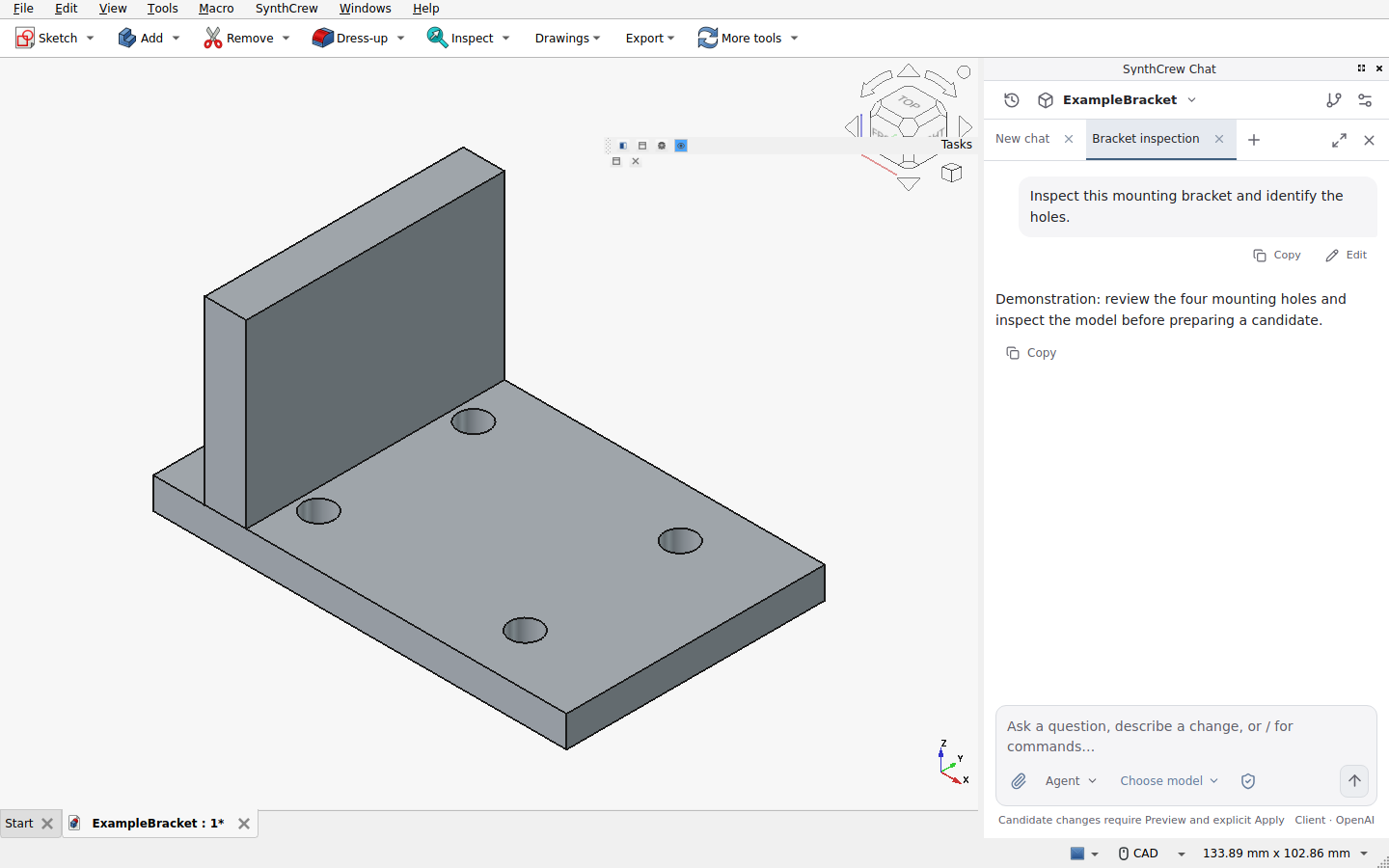
- Open an existing engineering project, then start a project conversation. Use a separate General conversation for work that should not inherit the project.
- Choose CAD + chat to see both surfaces or Focus to expand the conversation. Confirm the selected project before sending context.
- Begin with Plan and Agent, then learn how to review a candidate and Apply.
Expected result and recovery
The workspace shows the current project and conversation. If the platform, account service or AI access is unavailable, do not use an unverified installer or bypass the gate. If you cannot see the expected project, stop and select the right one before sending. Do not use production-critical work for an unfamiliar workflow without independent backups and review.